Outfits
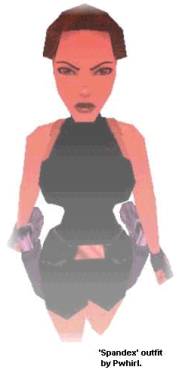
It’s possible to change Lara’s clothing by using the Strpix
programme. (see 'Tools' page).
To change Lara’s clothing:
Open Strpix.
Select ‘Open Wad.’
Choose a wad you
want to modify.
When the wad is displayed as texture view press
‘Save As BMP.’
Now your wad textures will be saved as a BMP.
Close Strpix and open the BMP you just saved
Find Lara’s
clothing and re-colour it, then save.
Open the Strpix programme
and select ‘Open BMP.’
Open your modified wad textures.
Select ‘Save In Wad.’
Find the previously selected wad in
your wads folder, select it and save over it.
Tips
For Making Professional Outfits!
Have patience and lots
of it!
Save, and save often!
Plan what sort of theme
you want your outfit to have e.g. camouflaged. Then think about if
it would match with the type of level you are going to build.
Screenshot past clothes textures, from TR games then import
the screenshot onto paint, cut out a corner then, paste and re-size
it onto each texture!
Do not try to colour Lara’s skin to
extend her clothes. It will result in a never-ending nightmare
(trust me).
Before you start to modify the appearance of a
wad, save a backup copy of the original in another folder.
When you are finished changing Lara’s clothes or you just
want to see how far you have proceeded you don’t have to build,
convert and play a level to find out! Instead, open the room editor
and load a texture map and the modified wad. (You have to open a
texture map before an object set otherwise the objects will appear
black). Scroll through the object set until you find the object
‘LARA SKIN’ Observe and zoom in on the object to view your progress.
When making your outfit consider that Lara is wearing the
clothes! So add crinkled lines and shadows to give the outfit that
‘worn’ effect.
When you are finished your outfit share it
with the world! (Make your outfit downloadable on the web)
Good luck!
Complete Outfit Template
You can download the complete outfit template @ the address
below!
|



 Email page
 Feedback
 Home
Home times.